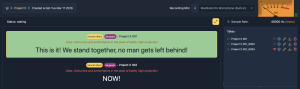
Recording on Diva is straightforward, but doing it well is where the pros shine. Here’s how to stay efficient and get the best results.
1. Mic, Clip & Saving Check
Start every session by confirming your setup:
-
Ensure your microphone is correctly selected and functioning.
-
Check that input levels are healthy – neither too quiet nor clipping.
-
Use clip detection to flag peaks before serious recording.
-
Confirm your recording save toggle:
-
Save locally
-
Save to cloud (recommended)
-
Both
-
💡 Tip: Setting your save preferences before hitting record avoids lost files and keeps your workflow smooth.
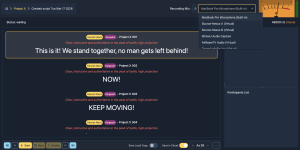
2. Prep & Familiarisation
Before hitting record, take a few moments to get comfortable with both the system and your recording environment:
-
Get familiar with Diva: Navigate the interface, understand where controls are, and review the workflow.
-
Adjust text size: Use Diva’s adaptive font sizing to make each line readable at a glance – no scrolling, no missed cues.
-
Set up your space: Get comfortable in the booth or recording area. Adjust seating, microphone position, and posture to stay relaxed and consistent.
💡 Tip: Spending a minute here reduces errors, boosts confidence, and keeps your session flowing smoothly.
3. Countdown & Control
Hit Record, and you’ll see a countdown (which defaults to 3 seconds) and a traffic light system which mirrors recording studio lights – when the red light is on, you’re recording! Treat it as your mental prep:
-
Reset.
-
Focus.
-
Step into the take.
Diva also gives you 3 essential controls during recording:
-
Next: Confident in your take? Move forward straight away.
-
Stop: End the take to reset your flow, or to catch a break before your next line.
-
Retake: Made a mistake? Start fresh!
💡 Tip: You can adjust the countdown time in default settings: https://diva.offthepage.com/app-vue/settings
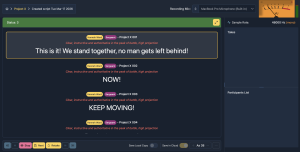
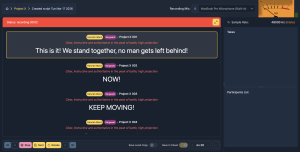
4. Edit Scripts & Download Takes On-the-Fly
Need to tweak a line mid-session? Diva lets you edit as you go.
-
Add notes throughout the script
-
Adjust phrasing or cues without stopping the recording flow.
-
Reduces unnecessary retakes and keeps sessions efficient.
- Allows you to download individual takes as soon as they’re recorded.
💡 Tip: Use this feature strategically – small edits save time and frustration.
5. Playback & Favourite Takes
Every line you record is automatically hearted as your preferred take.
-
Saves your best take per line by default.
-
You can manually change the favourite if needed.
- Playback is immediate – as soon as you finish a take, it pops into the Takes section, so you can review it if needed.
-
Focus on recording, not sorting multiple takes.
💡 Tip: Let Diva auto-heart your final take, then review only when necessary.